Free Delivery: 


Our facilities are now open for visits. Please contact your PIC or email us at contact@custommadepackaging.com to request a visit.
Free Delivery:
Home – Blogs – Custom Design Boxes: How to Design Yours (2026 Guide)
 – Blogs
by Custom Made Packaging Team – October 26, 2026 · 18 min read
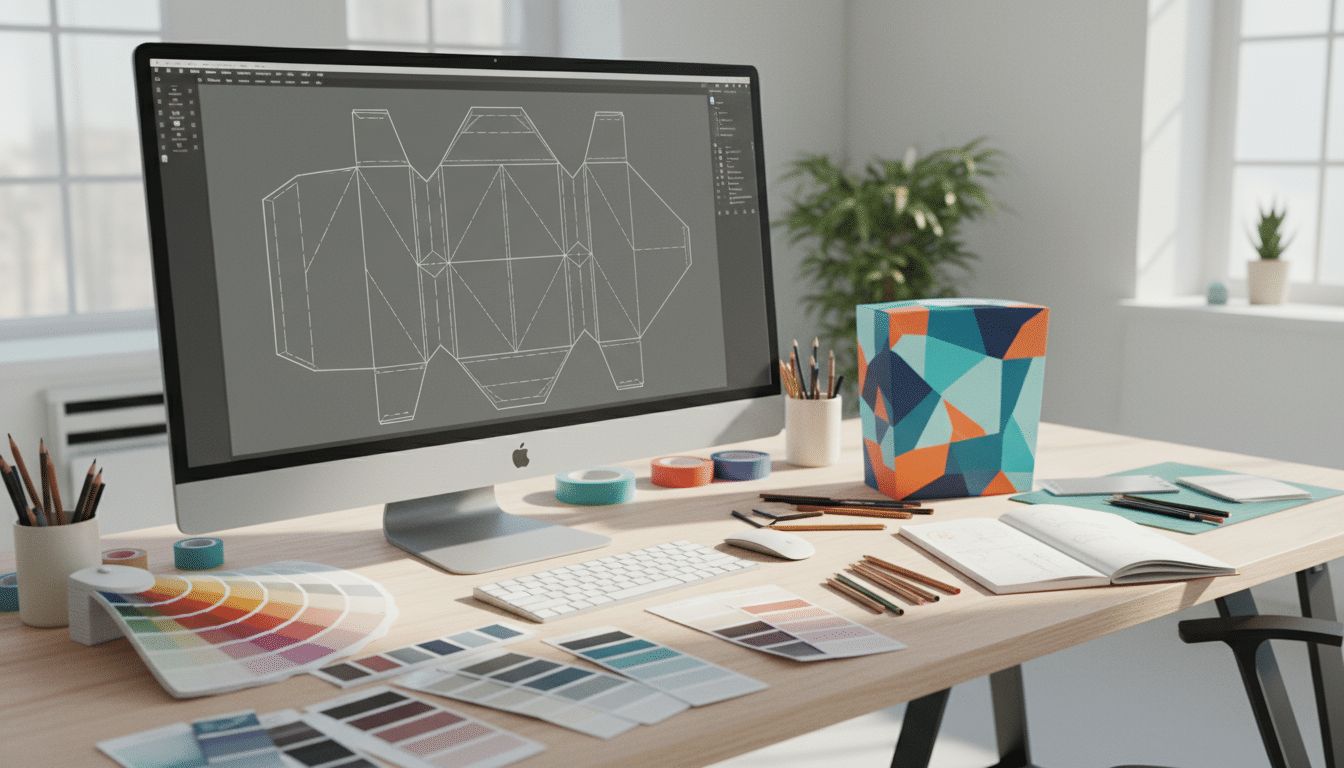
Custom design boxes are boxes built around your product and your brand: you choose the exact size, the box style, the material, the printed artwork and the finishes, instead of picking a plain stock carton off a shelf. To design one, you follow seven steps: define what the box must do, measure the product, pick a box style and material, get the dieline, create print-ready artwork, choose finishes, then approve a mockup and a sample before production.
This guide walks through every one of those steps in detail. You will learn how dielines, bleed and safe zones work, which file formats printers actually need, how to get colors to print the way they look on screen, which finishes are worth paying for, what drives the price of a custom box, and the labeling details that matter for brands selling in the United States and Canada. Whether you run a skincare startup in Texas, a candle studio in Ontario or a growing e-commerce store shipping coast to coast, you will finish with a clear plan and a checklist you can hand to your designer or packaging supplier.
If you would rather not design it yourself, that is fine too. Every order includes free design support, and you can also hire a professional designer for your custom design boxes to handle artwork from start to finish.
Table of contents: What are custom design boxes? · Plan your box · Box styles · Materials · Dielines, bleed and safe zones · Artwork and files · Finishes · Inside printing and inserts · USA and Canada · Cost factors · Mistakes to avoid · Checklist · How to order · FAQ
A custom design box is any box made to your specifications rather than chosen from a catalog of fixed sizes and blank finishes. In practice, “custom” can mean several things at once, and it helps to separate them, because each one affects cost and lead time differently:
Stock boxes can work for a test batch or a product that never leaves a warehouse. But once a box reaches a customer’s doorstep or a store shelf, it becomes part of the product. Custom design boxes let a small brand look as considered as a big one, and because orders can start from just 30 boxes, the gap between a plain carton and branded packaging is smaller than most people expect. If you are still weighing whether branded packaging is worth it, our custom packaging for small business guide covers the business case in detail.
The best box designs start with a short brief, not with a color palette. Spend twenty minutes answering these questions and every later decision gets easier and cheaper.
A box for a luxury skincare set opened by a gift recipient should feel very different from a box for a refill pouch opened by a returning subscriber. Write down your customer, the price point of the product, and the three words you want them to think when they see the box, such as “clean, calm, premium” or “bold, playful, fun.” Those words guide colors, fonts and finishes.
Measure the product at its widest points, including caps, pumps and handles, and include everything that goes in the box: inner cartons, inserts, cards and samples. Write the result as inside Length × Width × Depth. Add roughly 1/8 inch (3 mm) per dimension for a snug fit, and more if you wrap items in tissue or bubble wrap. Our mailer box sizes guide explains allowances in detail.
| Brief question | Why it matters | Example answer |
|---|---|---|
| Product and contents | Sets inside size and insert needs | One 1.7 oz (50 ml) glass serum bottle plus a card |
| Inside size (L × W × D) | Determines the dieline | 2 × 2 × 5.5 in (5.1 × 5.1 × 14 cm) |
| Sold where? | Shelf, online or both | Online and two local boutiques |
| Shipping method | Decides board strength | Shipped inside a mailer box |
| Brand feel | Guides colors, fonts, finishes | Clean, botanical, premium |
| Quantity and budget | Affects material and finish options | 250 boxes, target under $2 per unit |
| Required text | Space for legal and barcode info | Net quantity, ingredients, UPC, bilingual text for Canada |
The structure of a box shapes the whole design. Each style has different panels to print on, different opening experiences and different costs. These are the styles most small and mid-size brands in the USA and Canada choose:
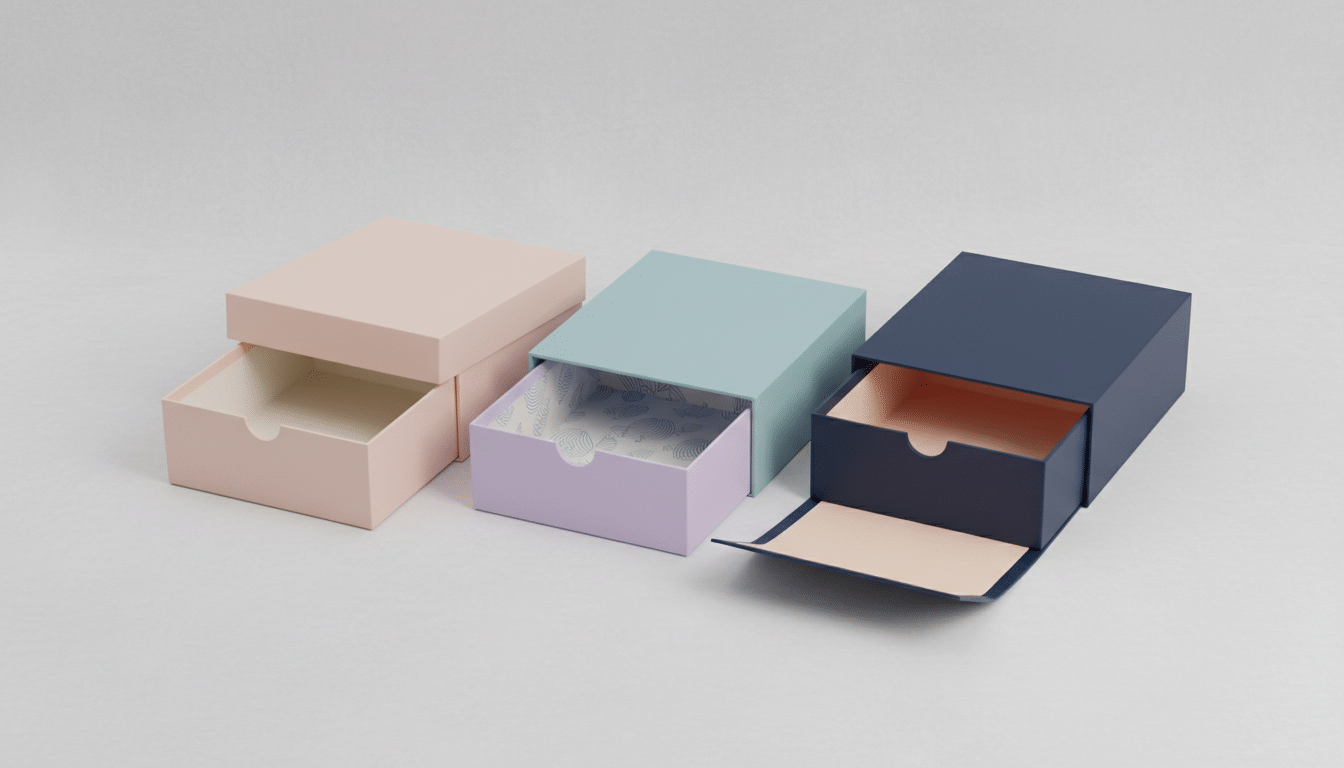
| Box style | Best for | Design notes | Starting price |
|---|---|---|---|
| Mailer box (roll end tuck front) | E-commerce, subscription boxes, PR kits | Print outside and inside; lid creates a reveal moment | From $0.90 |
| Tuck end product box | Cosmetics, supplements, retail products | Six printable panels; easy to add a window or hang tab | From $0.80 |
| Rigid box | Luxury goods, jewelry, gift sets | Wrapped paper allows foil, embossing and soft-touch finishes | From $3 |
| Kraft box | Natural, eco-forward and food brands | Brown base color changes how inks look; bold, simple designs work best | From $0.50 |
| Pillow box | Small gifts, jewelry, accessories | Curved surface; keep key artwork away from the curved ends | From $0.60 |
| Cosmetic box | Lipstick, serums, creams, palettes | Slim panels; prioritize legibility of small text | From $0.30 |
For shipping direct to customers, custom mailer boxes are the most popular choice because they are sturdy, self-locking and fully printable. For retail shelves, custom product boxes give you six clean panels for branding and required information. For premium launches, rigid boxes deliver a heavier, more luxurious feel. If you are undecided between a premium rigid box and a folding carton, read our comparison of rigid boxes vs folding cartons.
Material affects strength, print quality, how the box feels in the hand and how it is recycled. Choose it before artwork, because a design that looks perfect on bright white paperboard can look muddy on brown kraft.
| Material | Typical thickness | Strength | Print look | Good fit |
|---|---|---|---|---|
| SBS paperboard (white) | Around 14–24 pt | Light to medium | Sharp, vivid color | Cosmetics, retail cartons |
| Kraft paperboard | Around 14–24 pt | Light to medium | Natural, earthy tones | Eco and food-adjacent brands |
| E-flute corrugated | About 1/16 in (1.5 mm) | Good for shipping | Smooth, good detail | Small and medium mailers |
| B-flute corrugated | About 1/8 in (3 mm) | Higher crush resistance | Slightly less crisp | Large or heavy mailers |
| Rigid chipboard | Around 1.5–3 mm board | Very sturdy, does not fold flat | Premium wrapped paper | Luxury and gift boxes |
A “point” (pt) is one-thousandth of an inch, so 18 pt board is 0.018 inch thick. Thicker paperboard feels more substantial but adds weight and cost. If sustainability is part of your brand story, kraft boxes made from recyclable stock are an easy win; just design with fewer, bolder colors, because inks sit on a brown base and appear darker than they do on white.
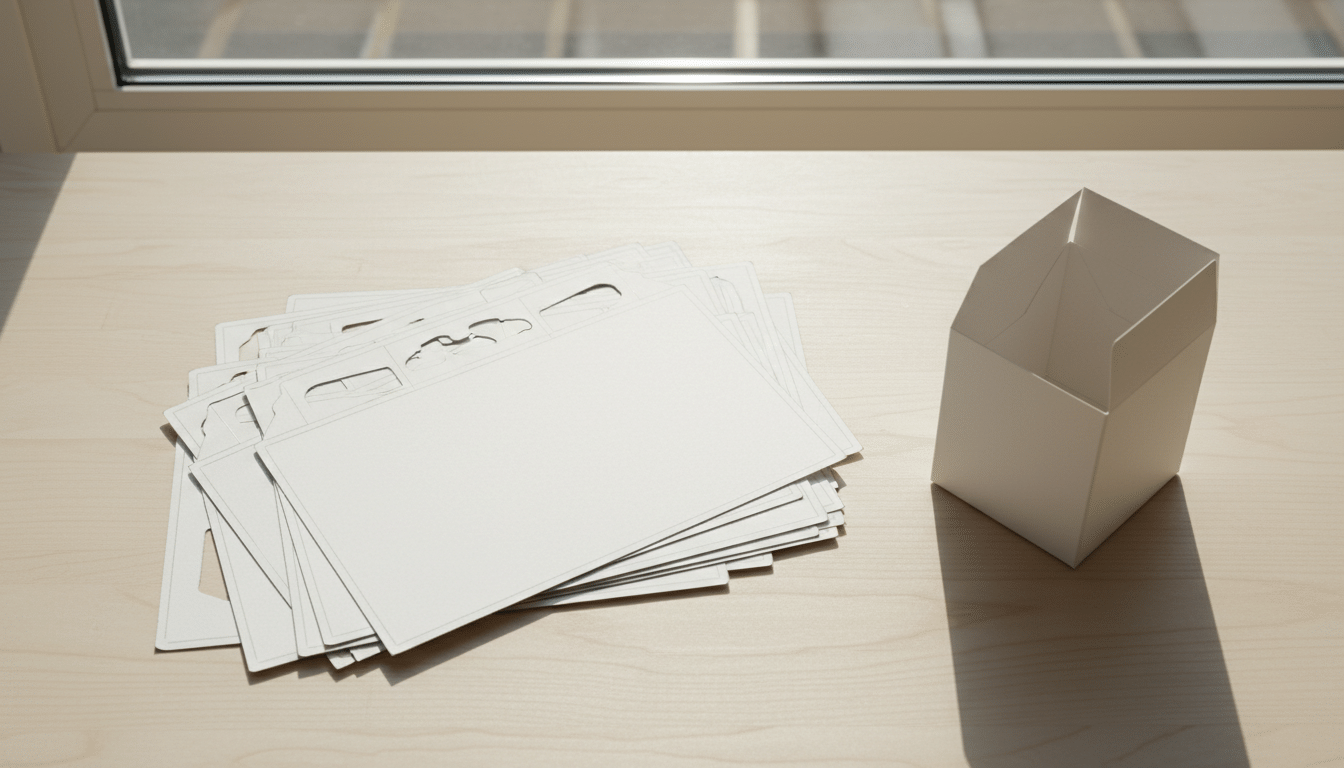
A dieline is the flat template of your box: every panel, flap, glue area and fold, drawn to exact size. Your artwork is placed on this template, and the printer uses the same lines to cut and crease the board. Always design on the dieline supplied for your exact size and style, never on a generic template downloaded from the internet, because board thickness changes panel sizes slightly.
A professional dieline uses a few standard line types. Learn them once and you will avoid most print errors:
| Line or zone | What it means | What to do with artwork |
|---|---|---|
| Cut line (often solid) | Where the board is cut | Extend background artwork past it into the bleed |
| Fold or crease line (often dashed) | Where panels fold | Keep text and logos away from it |
| Bleed | Extra artwork outside the cut, about 1/8 in (3 mm) | Fill with background color or pattern so no white edge appears |
| Safe zone | Area inside cuts and folds, at least 1/8 in (3 mm) | Keep all text, logos and barcodes inside it |
| Glue area | Where the box is glued together | Usually left unprinted or kept simple |
Label each panel before you design: front, back, left side, right side, top flap, bottom flap and, for mailers, the inside lid. Then picture the box assembled. Artwork on a top tuck flap is often printed upside down relative to the front panel so it reads correctly when the flap closes. If that sounds confusing, ask for a 3D mockup; it shows instantly whether every element sits the right way up. Keep the dieline itself on a separate, clearly named layer so it never prints on the finished box, and never stretch it; if your product size changes, request a new one.
Great packaging artwork is not just attractive; it is technically correct. Printers in North America generally ask for the same file standards, so preparing your files this way avoids delays and surprise reprints.
| File setting | Recommended standard | Why |
|---|---|---|
| File type | Vector AI, PDF or EPS | Scales to any size without blurring |
| Color mode | CMYK (plus named Pantone spot colors if used) | Matches how presses print; RGB shifts on press |
| Image resolution | 300 DPI at actual print size | Prevents pixelated photos and textures |
| Fonts | Converted to outlines | Stops missing-font substitutions |
| Minimum text size | Around 6 pt; larger for reversed or thin fonts | Keeps small print legible |
| Minimum line weight | Around 0.25 pt | Very thin lines can break up in print |
| Rich black | Use for large black areas; plain black for small text | Deep blacks without blurry small type |
Color is where many first box designs disappoint. A screen mixes red, green and blue light (RGB), while a printing press mixes cyan, magenta, yellow and black ink (CMYK). Some bright screen colors, especially vivid greens, oranges and electric blues, simply cannot be reproduced exactly in CMYK. Converting your file to CMYK early lets you see the realistic result before you fall in love with a color that will not print.
| Option | How it works | Best for | Trade-off |
|---|---|---|---|
| CMYK process | Four inks combine to make all colors | Photos, gradients, multi-color art | Brand colors can vary slightly between runs |
| Pantone (PMS) spot color | A pre-mixed ink matched to a numbered standard | Logos and exact brand colors | Can add cost per extra color |
| Kraft base printing | Inks printed on brown board | Natural, minimal designs | Colors appear darker; white ink may be needed for brightness |
If your brand color is central to recognition, specify the Pantone number for your logo and main background. Remember that the same ink looks different on coated white board, uncoated stock and kraft, and that finishes like matte lamination slightly mute colors while gloss makes them pop. When precise color matters, a printed sample is the only reliable proof; monitors and home printers are not accurate references.
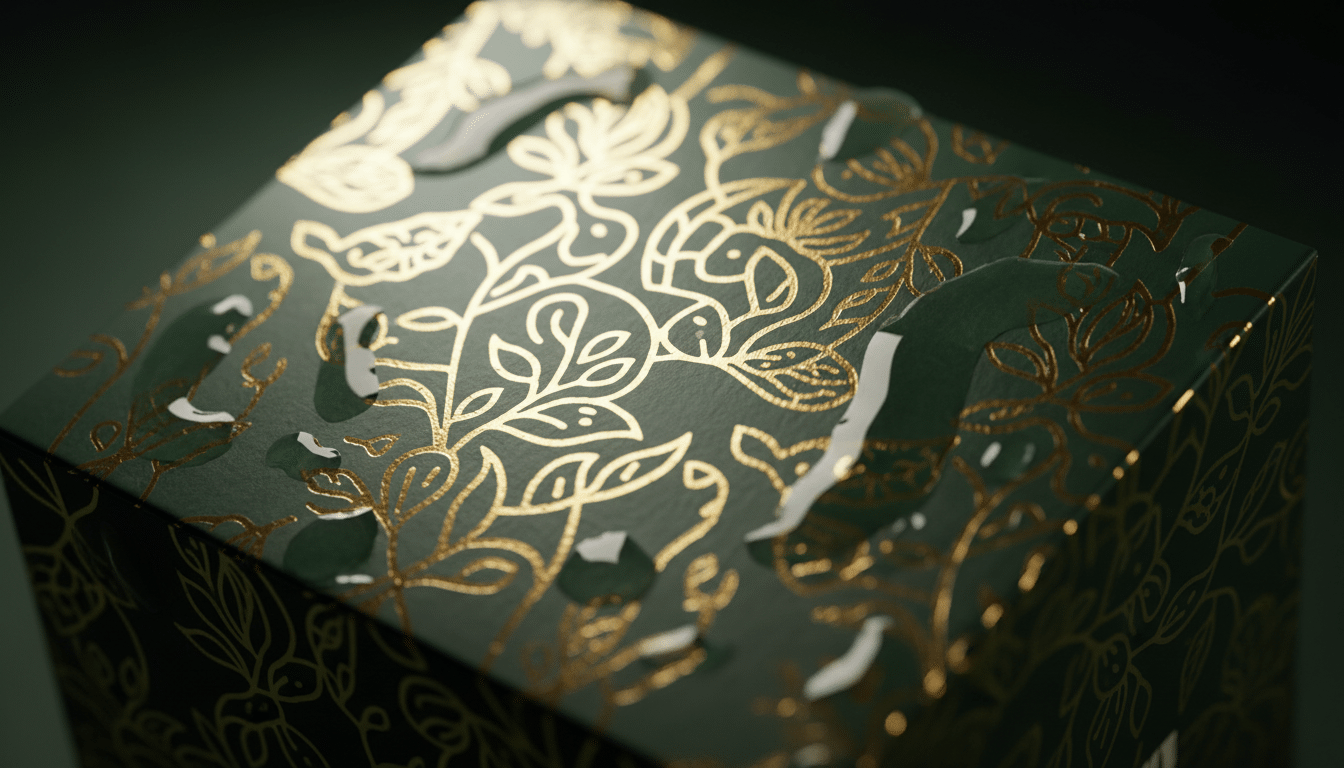
Finishes are where custom design boxes start to feel premium. They also add cost and sometimes time, so choose them with intention.
| Finish | Effect | Best use | Design tip |
|---|---|---|---|
| Matte lamination | Soft, non-reflective surface | Minimal, modern brands | Mutes colors slightly; boost saturation in artwork |
| Gloss lamination | Shiny, vivid, wipeable | Bright, playful designs | Makes colors pop; can show glare under store lights |
| Soft-touch coating | Velvety feel | Luxury, beauty and tech | Pairs well with foil or spot UV |
| Foil stamping | Metallic gold, silver, rose gold or colors | Logos, borders, product names | Avoid very fine details below about 0.5 pt |
| Embossing / debossing | Raised or pressed-in texture | Logos and patterns | Needs a separate artwork layer marking the area |
| Spot UV | Glossy highlight on a matte base | Patterns, logos, product names | Supply as a separate 100% K layer |
| Window cutout | Shows the product inside | Food, toys, candles, cosmetics | Keep windows away from folds and edges |
Pro tip: Pick one hero finish and apply it to one hero element. Gold foil on a logo over a soft-touch background looks expensive; foil, spot UV, embossing and a window on the same small box usually looks busy and adds cost without adding value. Supply each finish as its own clearly named layer in your file so there is no guesswork on press.
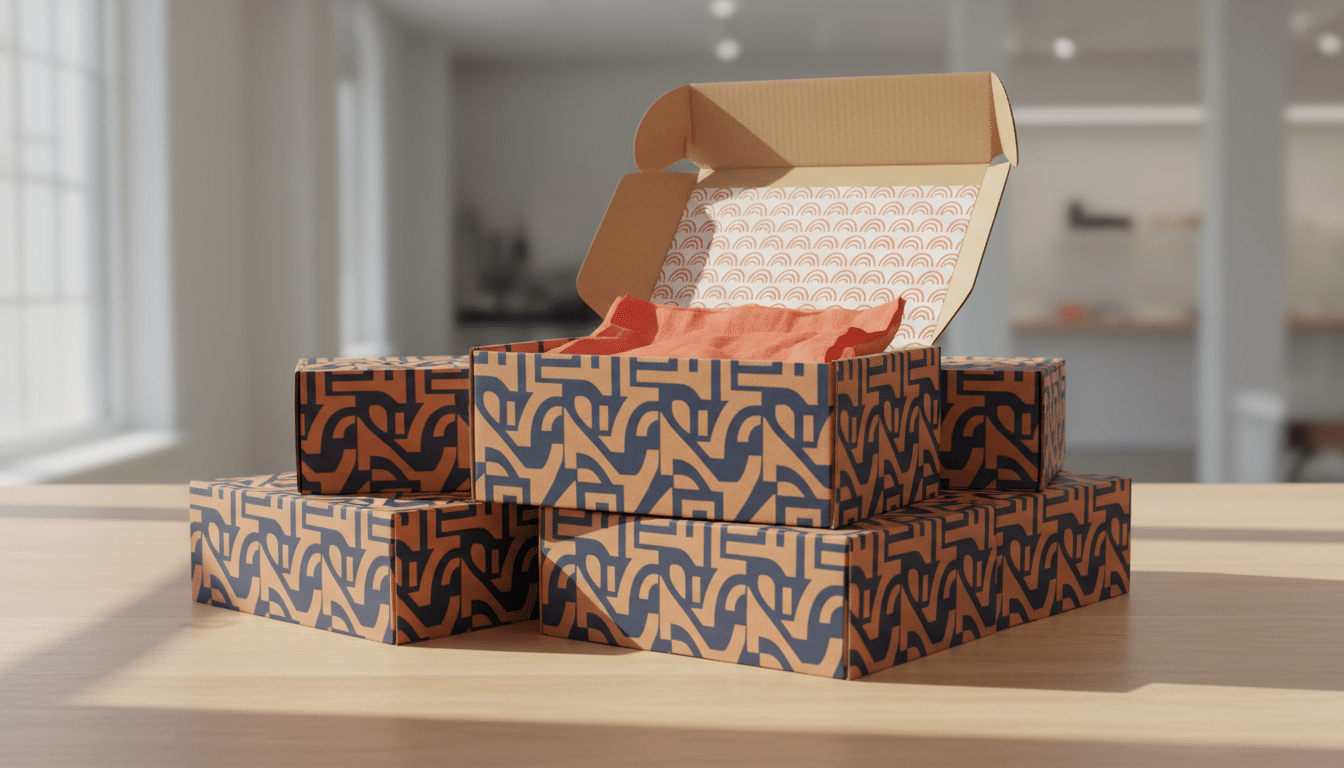
The inside of a box is the first thing a customer sees after they open it, and it is often the most shared moment on social media. Inside printing is available for mailer, kraft, CBD and product boxes, and it lets you add a pattern, a thank-you note, care instructions or a QR code exactly where attention is highest.
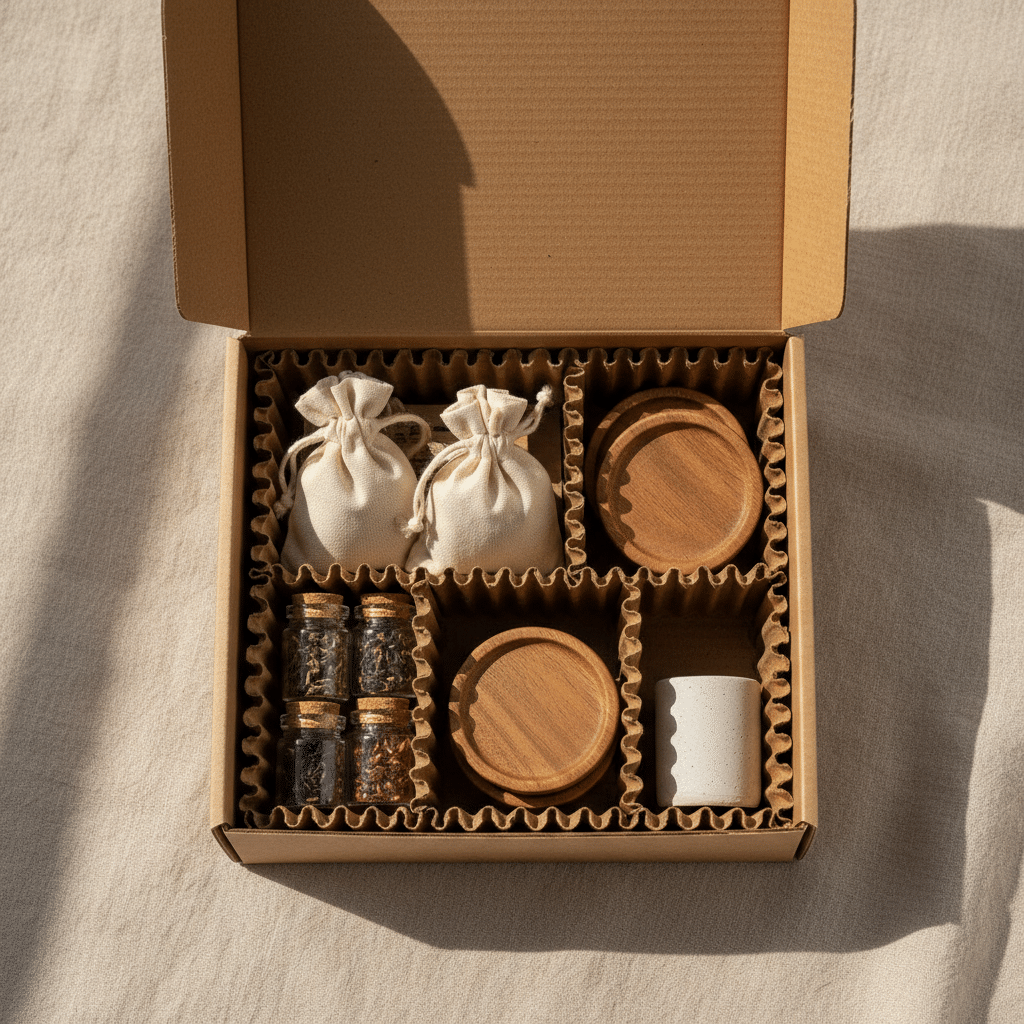
Inserts hold products in place, stop rattling and make the layout feel deliberate. Cardboard inserts are affordable and recyclable; foam or rigid inserts feel more premium for fragile or high-value items. Design the box around the insert, not the bare product, and read our guide on packaging inserts for the main options.
We make custom design boxes for brands across the United States and Canada, with free shipping to both countries. The design principles are the same in both markets, but a few practical details differ. The notes below are general guidance; labeling rules depend on your product category, so always confirm current requirements with the relevant regulator or a compliance professional before you print.
Most consumer packaging in the US shows the product identity, the net quantity and the name and place of business of the manufacturer, packer or distributor. Under federal packaging and labeling rules, net quantity on many consumer products is shown in both US customary and metric units, for example “Net Wt 8 oz (227 g)” or “1.7 fl oz (50 mL)”, typically in the bottom area of the main display panel. Products regulated by the FDA, such as cosmetics, food and supplements, have additional labeling requirements, so check the rules for your category. Retailers usually require a UPC barcode, which you obtain through GS1 US. For shipping, UPS, FedEx and USPS price many parcels by dimensional weight calculated in inches and pounds, so a compact box design directly lowers costs.
Canada requires most mandatory consumer label information, including the product name and net quantity, to appear in both English and French, and net quantity is declared in metric units. That means planning space for two languages from the very first sketch, not squeezing French in at the end. Quebec has additional French-language requirements, so brands selling there should review them carefully. Cosmetics, food and natural health products are overseen by Health Canada and the CFIA, each with their own rules. Canadian carriers generally calculate volumetric weight in centimeters and kilograms. Note that CBD is regulated as cannabis in Canada, with strict plain-packaging rules, so branded CBD box designs are not permitted there; our CBD boxes guide covers what is possible in the US market.
| What matters | United States | Canada |
|---|---|---|
| Language on labels | English | English and French for most mandatory information |
| Net quantity units | US customary and metric on many products | Metric (US customary may be added) |
| Common box measurements | Inches | Centimeters (inches widely understood) |
| Shipping weight basis | Dimensional weight in inches and pounds | Volumetric weight in centimeters and kilograms |
| Barcodes | UPC via GS1 US | UPC/EAN via GS1 Canada |
| Category regulators (general) | FDA, FTC, CPSC depending on product | Health Canada, CFIA, Competition Bureau depending on product |
| CBD packaging | Branded designs possible; follow state rules | Plain packaging rules under cannabis regulations |
| Shipping from us | Free shipping anywhere in the USA | Free shipping anywhere in Canada |
A practical tip for brands selling in both countries: design one bilingual box with dual units (for example “8 oz / 227 g”). It simplifies stock, avoids separate print runs and is usually cheaper than managing two versions.
There is no single price for a custom box, because every choice in this guide affects it. As a starting point, prices begin at $0.30 for cosmetic boxes, $0.50 for kraft boxes, $0.80 for product boxes, $0.90 for mailer boxes and $3 for rigid boxes. Labels start at $0.30 and branded tapes at $1. Your final unit price depends on these factors:
| Cost factor | Lower cost | Higher cost |
|---|---|---|
| Quantity | Larger runs spread setup costs | Very small runs cost more per box |
| Size | Compact boxes use less board | Large boxes use more material and space |
| Material | Paperboard or kraft | Rigid chipboard or heavy corrugated |
| Print coverage | One or two colors, outside only | Full color, inside and outside |
| Finishes | Standard coating | Foil, embossing, spot UV, soft-touch |
| Structure | Standard style | Windows, inserts, magnets, special shapes |
| Timeline | Standard 10–15 business days | Rush 8–12 business days |
The smartest way to control cost is to spend where the customer notices. A simple one-color outside with a bold printed inside often looks more premium than a crowded full-color exterior, and it costs less. For a deeper look at pricing in one category, see our cosmetic boxes cost guide.
Run through this step-by-step checklist before you submit your artwork:
Have questions about styles or artwork before you start? Contact our packaging team and we will help you choose.
Measure your product, choose a box style and material, then request a dieline for that exact size. Place your artwork on the dieline with bleed and safe zones, export a CMYK vector PDF, and approve a mockup and sample before production.
Professional packaging designers usually work in vector software such as Adobe Illustrator, because printers need vector files with precise dielines. Free and browser-based tools can work for simple layouts, but make sure they export print-ready CMYK PDFs with bleed.
Most packaging printers ask for vector AI, PDF or EPS files in CMYK, with images at 300 DPI, fonts converted to outlines and finishes on separate layers. A press-ready PDF built on the supplier’s dieline is the safest choice.
Design support is free with every order here, so you only pay for the boxes. Box prices start at $0.30 for cosmetic boxes and $0.90 for mailer boxes, and the final price depends on size, material, quantity, print coverage and finishes.
Custom Made Packaging accepts orders from 30 boxes, which suits product launches, test batches and small businesses. Larger quantities usually lower the price per box.
In most cases, yes. Canada generally requires mandatory consumer label information such as the product name and net quantity in both English and French, so plan space for both languages from the start and confirm the rules for your product category.
Most consumer product boxes in the US show the product identity, net quantity in US customary and metric units, and the name and place of business of the maker or distributor. Regulated categories such as cosmetics, food and supplements have extra FDA requirements, so check the rules for your product.
You receive a 2D and 3D mockup within 48 hours. After you approve the design, production takes 10–15 business days, or 8–12 business days with rush, and shipping is free to the USA and Canada.
Get the custom quote starting from our MOQ of 30 boxes to any order volume. There will be no charges for shipping and we ensure the lowest prices with highest quality possible.